Automated DMCA takedown workflows can find likely copies, collect evidence, prepare notices and track responses. They cannot establish infringement from a match alone, guarantee removal, or replace review of rights and context. Automation works best as a way to handle repetitive searches and records while a person checks whether a notice is justified.
- A match is a lead to investigate, not proof that a use is unauthorized.
- Review ownership, licenses, permissions and possible lawful uses before submitting a notice.
- The U.S. DMCA’s Section 512 procedures are relevant to qualifying online service providers and notice senders; they do not impose one identical process on every organization.
For related context, see our guides to online piracy and unauthorized sharing.
How automated takedown workflows operate
“Automated takedown” can describe work on either side of a report. A rights holder’s system may search for suspected copies and help prepare or submit notices. A hosting service or platform may use automation to receive, route and process notices about content on its service. The tools and responsibilities differ, so check what a vendor actually automates.
- Find possible copies. Search tools compare text, images, audio or video with reference material, then flag possible matches. A content-matching algorithm can narrow a large set of results, but it may miss altered copies or flag unrelated material.
- Check the match and the rights. Review the original work, the suspected copy, its URL and date, and the evidence that the claimant owns the relevant rights or is authorized to act. Watermarks, source files and records of creation may help with comparison; they do not settle whether the later use is unlawful. See related guides on digital watermarking, invisible watermarks, blockchain records, documenting content ownership and copyright protection for online courses.
- Prepare the right report. Identify the service responsible for the material and use its required reporting route. If the claim is a U.S. DMCA notice, check the statutory elements and the recipient’s instructions. A system can assemble fields and evidence, but an authorized person should review the statements before they are sent.
- Track the outcome. Record where and when the report was sent, any reply or counter-notice, and whether the material changed. A notice is a request under a process—not a guarantee that every recipient will remove content. Re-check whether a copy returns before deciding what to do next.
A worked example: checking one copied image
Suppose a photographer finds a copy of a published image on another website. A matching tool can surface the page and save its URL, a dated screenshot and a comparison with the original. Before sending a complaint, the photographer checks that they own the relevant rights, looks for a license or permission, and considers the page’s context. If the facts support a claim, they can use the host’s stated copyright process, review the notice, and keep the response with the evidence. If the match is uncertain or the use may be licensed or legally protected, pause and investigate instead of letting a similarity score trigger a notice automatically.
When does the U.S. DMCA apply?
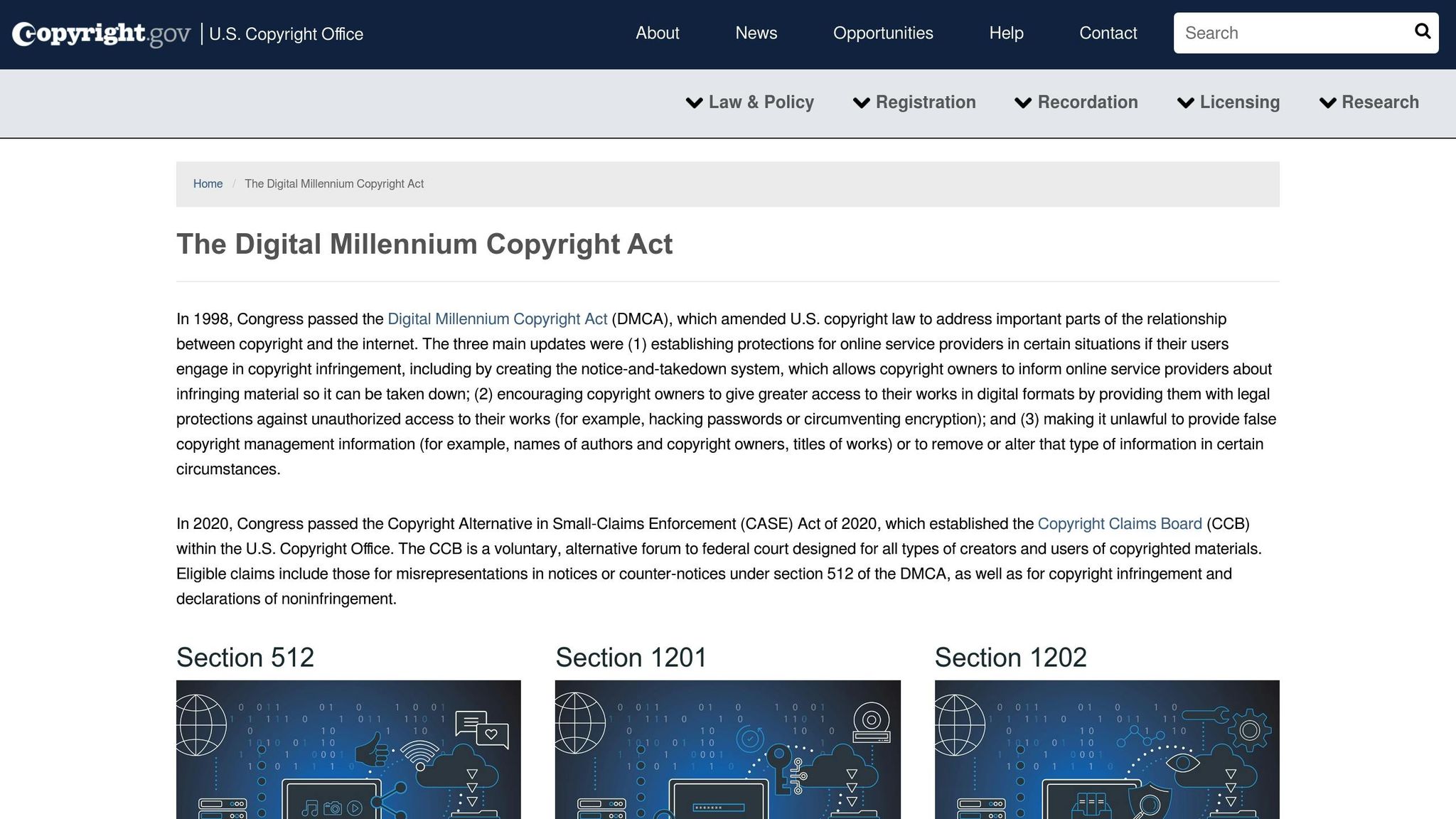
Section 512 of the U.S. Copyright Act sets out notice-and-takedown provisions connected to certain limits on online service provider liability. The U.S. Copyright Office explains that online service providers seeking the relevant safe-harbor protections must meet requirements that include designating an agent to receive notices. This is not a general rule that every company or copyright owner must appoint an agent. The Office provides an overview of the DMCA, while Title 17, Section 512 contains the statutory text and notice requirements. For practical steps on sending or responding to a notice, see ScoreDetect’s copyright notice and takedown guide.
Rules and reporting routes can differ outside the United States and across platforms. A copyright notice is also different from a report under a platform’s own terms or another type of complaint. Use the process that fits the specific material and recipient; seek qualified legal advice when the rights or consequences are unclear.
Why human review matters
Automated matching can confuse resemblance with copying, and it cannot reliably determine from a match alone who owns the work, whether permission exists, or whether a use may be protected, including by fair use. A notice must be based on the sender’s good-faith belief under the relevant DMCA provision. The statute also addresses knowing material misrepresentations. Check the facts before submitting, and make sure the system provides a way to stop, correct or appeal an erroneous report.
There are documented examples, but they do not establish how often errors occur. In a 2015 account, the Electronic Frontier Foundation described notices sent by Total Wipes Music Group that targeted unrelated web pages; the group attributed the notices to a bug in its automated system. EFF argued that sending notices without human review was itself problematic. Read EFF’s account of the incident for the reported details.
In a separate 2020 article, EFF reported that musician Rick Beato told a Senate committee that 254 of his 750 YouTube videos had been demonetized and 43 blocked or taken down, and that he had not disputed the actions. That is one person’s account, not an error-rate estimate for platforms generally. The article also discusses fair use and quotes Sherwin Siy, then a public-policy manager at the Wikimedia Foundation. Read EFF’s 2020 discussion for its reporting and viewpoint.
Manual handling or an automated service?
| Consideration | Manual workflow | Automated or managed workflow |
|---|---|---|
| Workload | Can suit occasional cases when you can monitor, document and follow up yourself. | May help when searches and reports recur across many sites or channels; confirm the service actually covers those places. |
| Evidence and records | You gather URLs, dates, screenshots, source material and correspondence. | Ask what it captures, how long records are kept, and whether you can export the case history. |
| Notice review | You check each claim and submit it through the recipient’s route. | Ask whether notices are merely drafted or automatically sent, and who approves uncertain matches. |
| Disputes and repeat appearances | You monitor replies, counter-notices and reappearing material. | Check whether follow-up and dispute handling are included, or require your own staff or legal counsel. |
| Cost and fit | No specialist service fee, but your time and monitoring coverage still have a cost. | Compare the full price, limits, covered platforms and extra charges with the workload it would replace. |
How to choose an automated DMCA takedown service
“Takedown service” can mean different jobs. If your goal is to address copied photos, video or text, confirm the provider handles copyright claims for the platforms and content types you use. Services aimed at phishing sites, fake domains or impersonation handle different kinds of abuse; for example, Bolster describes its service as phishing and scam takedown and also describes a DMCA workflow. The shared label does not tell you whether a service covers your case.
- Verify the scope. Ask which platforms, content types and jurisdictions it covers, and whether it finds matches, drafts notices, submits them or follows up.
- Set review boundaries. Confirm that a person can review uncertain matches before a notice is sent, and ask how corrections, disputes and counter-notices are handled.
- Check the case record. Request a sample showing the work, matching URL, capture date, notice, response and status; ask how long records are kept and whether you can export them.
- Compare the full cost. Ask about recurring monitoring, per-URL charges, platform limits and follow-up fees—not only the headline plan price.
Before a pilot with real material, confirm you are authorized to share it and review the provider’s privacy, security and data-retention terms. Then test a small set of representative cases; compare confirmed matches and follow-through, not just the number of links detected. Any notice still needs the rights and human review described above. Ask vendors to define any speed or success metric and state its measurement period. For a vendor’s description of broader takedown work, see Axur’s takedown guide; treat it as the provider’s perspective, not an independent benchmark. Wider AI governance is a separate issue; the American Bar Association’s overview of AI legal and ethical compliance provides broader context.
What a checksum record can—and cannot—show
ScoreDetect’s public product description explains verification certificates that use a checksum and timestamp. A record like that may help document a version of a work, but by itself it does not establish whether another use is unauthorized. If you are evaluating monitoring or notice submission, check the product’s current feature description and terms. A workflow connector such as Zapier can connect services, but integrations do not replace rights review or a recipient’s reporting process. For broader site context, see digital content protection without complexity.
Frequently asked questions
How long does an automated DMCA takedown take?
There is no single completion time for every report. Section 512 uses “expeditiously” for certain service-provider responses, but the actual process depends on the recipient, the completeness of the notice and any dispute. Track submission and response dates rather than treating a vendor’s detection or filing speed as a promise of removal.
Does a matching result prove infringement?
No. It identifies material to review. Confirm the rights, permission, context and exact material before sending a notice; fair use and other circumstances can matter. See our guides to fair use and online content, copyright fair use, community rules and fair use, copyright basics for creators and copyright law.
Related guides
Explore automated takedowns for public-sector content and how automated takedown systems work. For evidence and matching topics, see blockchain and copyright enforcement, watermarking educational content, invisible watermarks, establishing ownership of digital media, protecting online-course content and content matching for anti-piracy.
For wider copyright and platform context, read copyright basics for digital creators, a copyright law primer, fair use for online content, what copyright fair use means, community rules and fair use and ways to reduce online piracy.
Further reading includes the Columbia Science and Technology Law Review discussion of automated copyright notices and PatentPC’s commentary on DMCA and fair use for SaaS providers and automating DMCA compliance. For U.S. legal requirements, consult the Copyright Office and statute linked above.